Start a new game for your bot to play against the computer:
- Press
Ctrl+Shift+Pto open the command palette in Visual Studio Code - Type
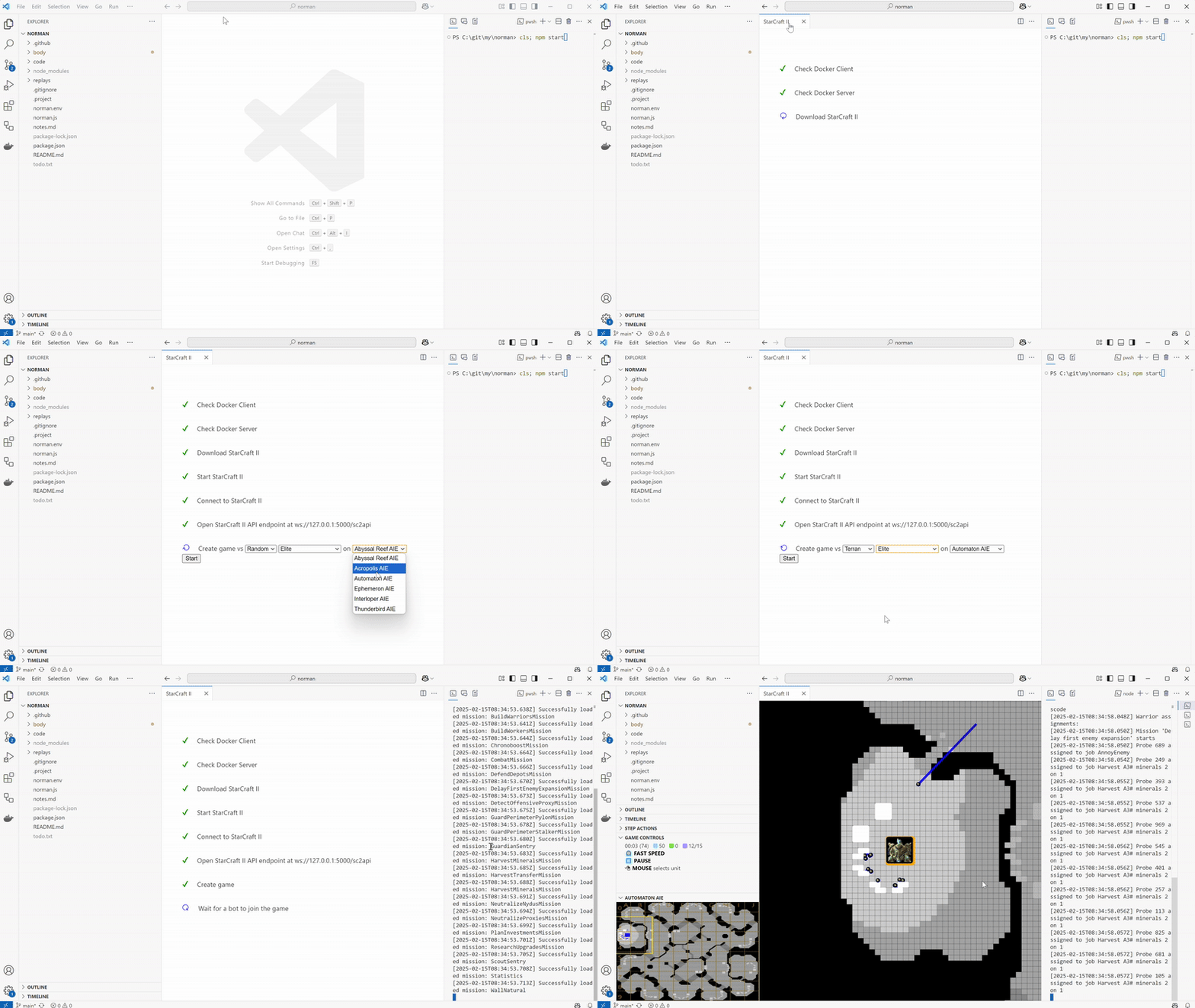
Start StarCraft II for an AI botto find the command - Run the command. A new editor will open and will go through the pre-requisites
- When asked about the map and race and difficulty of the opponent, make your choices
- Press
Startto start the game - When you see “Wait for a bot to join the game”, start your bot
Against an AI Arena bot
When you set your AI Arena API token in the extension settings, the extension automatically downloads a set of publicly available bots1 and shows them in the Arena bots view in the AI Arena panel.
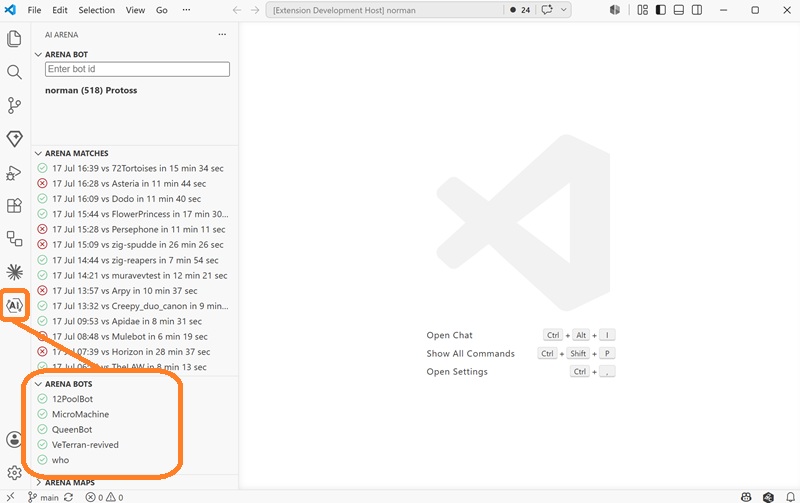
Each bot shows a filled icon once it has been downloaded and is ready to play against.
To start a game against one of these bots:
- Press
Ctrl+Shift+Pto open the command palette - Type
Start StarCraft II for an AI botand run the command - When asked about the opponent, select one of the downloaded bots from the list
- Choose the map
- Press
Startto start the game - When you see “Wait for a bot to join the game”, start your bot
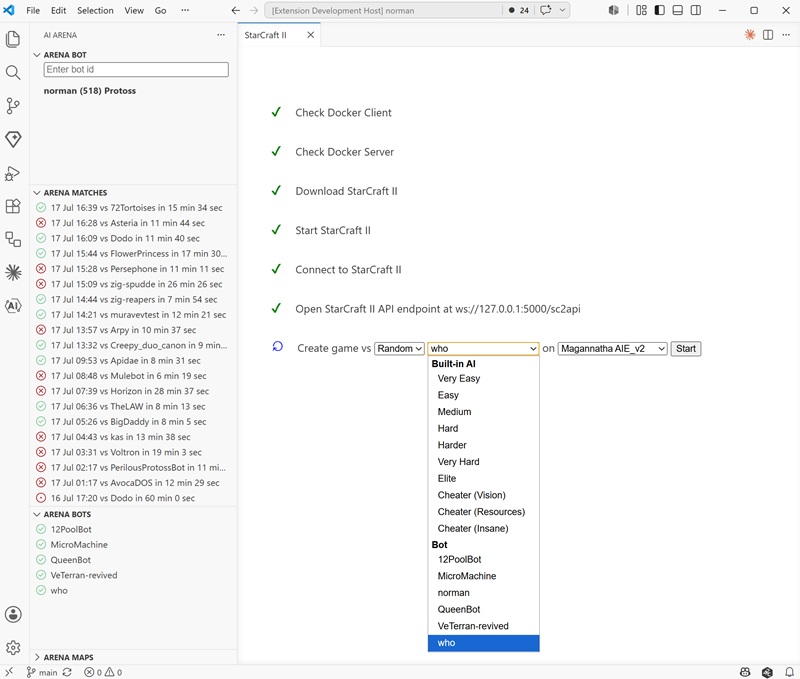
Your bot and the selected opponent bot will both connect to the game and play against each other.
-
Many thanks to AiSee, Phantom, RaphRR, and rasper for sharing their bots! ↩