When watching a replay or a game of your bot, you have control over the speed of the game. You can also pause and skip back and forth. Some controls are available only when watching a replay or when playing a game.
Common controls
The following controls are available when watching a replay or when playing a game:
- Change the speed between
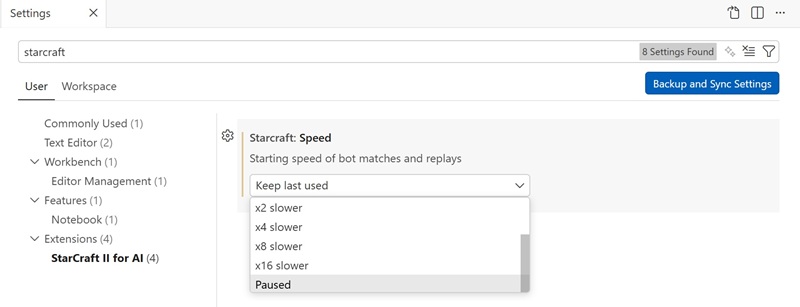
🏃 Fast speed,🕙 Clock time,x2 slower,x4 slower,x8 slower,x16 slower, or⏸ Paused. You can useSpacebarkey when the focus is on the camera view to pause or resume to the previous speed - While paused, move one frame back or forth. This is limited to 10 seconds before the time the game was paused
- Use
👁 TOGGLE FOGto enable and disable fog of war. When your bot is playing, you change the fog for your bot
Replay controls
The following controls are available only when watching a replay:
- Skip 1 minute
- Continue the game with your bot playing. See how
Play controls
The following controls are available only when your bot plays a game:
- Change mouse mode from
MOUSE selects unit, toMOUSE spawns unit, toMOUSE kills unit, and back toMOUSE selects unit

Settings
Use Starcraft: Speed setting under StarCraft II for AI to set the starting speed for replays and games.